Licensing & users
How Self-hosted licensing works
On the Self-hosted edition, Drovio Server is activated with electronic
license files (.lic) that we provide to you. Licenses are floating: rather
than being tied to a specific person, they are drawn from a pool and allocated to
users, either manually or automatically (see
users.license_allocation).
- Each license defines how many other users a holder can invite into a session
(typically
1,4or999, matching the licenses you acquired). - Licenses are bound to the machine (hostname). When deploying in
Docker, keep the
--hostnameyou sent us, as licenses are generated against it. - To obtain or adjust licenses, contact support@drovio.com.
Cloud licensing is different
On the Cloud (SaaS) edition there are no license files; entitlements are provisioned automatically from the customer's subscription. See Cloud overview.
Users wanting to share their screens through the app need to have an account on Drovio Server, and a valid license must be bound to a user account before they can use the app. Both users and licenses are managed from the administration panel.
Add or remove a user
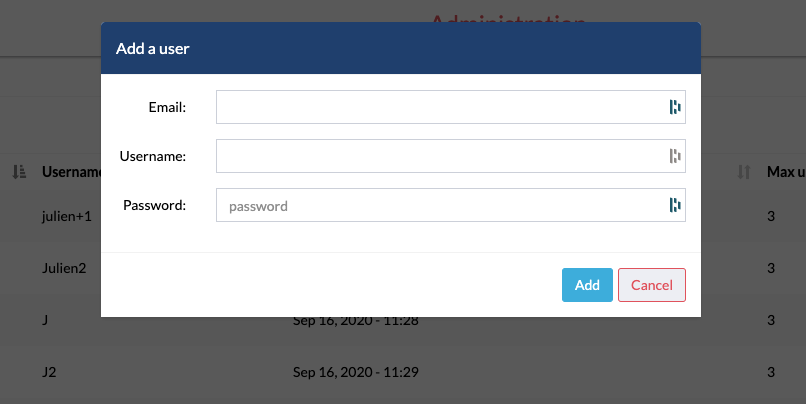
To add a user, open the Users page and click Add a user. Enter an email address, a username (shown under their mouse cursor and in messages) and a password. They will sign in with this password. Their address will count as verified.
To remove a user, click their row to open their details, then Remove the user.
Add or remove a license
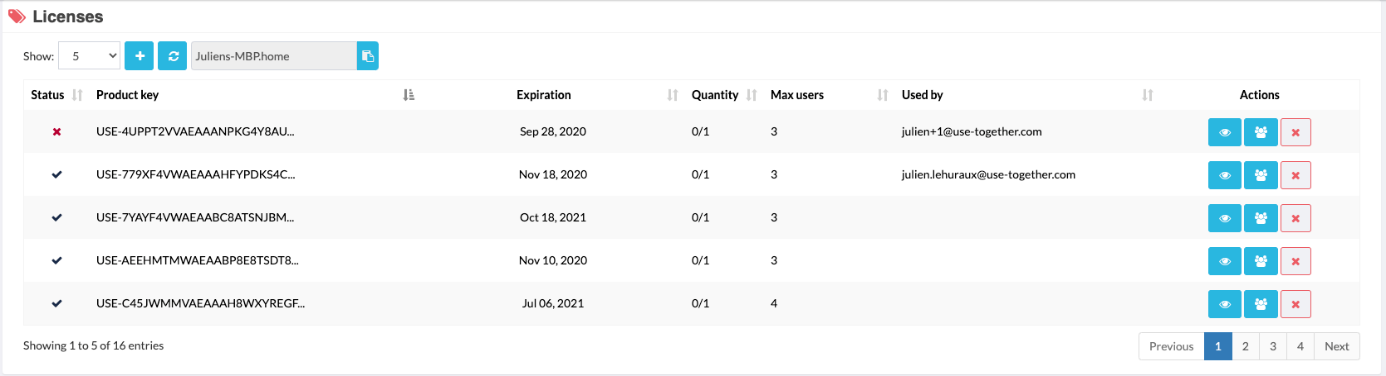
To add licenses, open the Licenses page and click Add licenses. Select
the files Drovio sent you: their extension is .lic. A license valid for this
server shows a check mark in the Status column.
To remove a license, click its row to open its details, then Remove the license. Clean licenses removes at once those that have expired, or whose host ID does not match this server.
Bind a license to a user
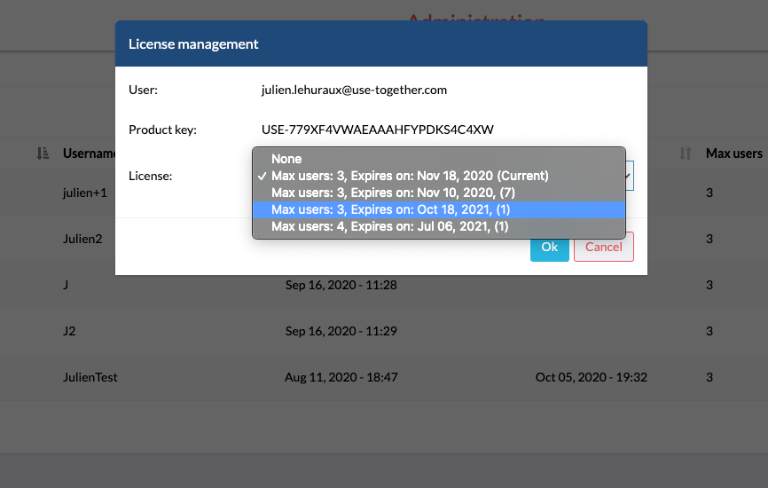
Open the Users page, then click the row of the user. Under License, choose a license to bind, then Bind. A user with a license can have it replaced with another one, or unbound.